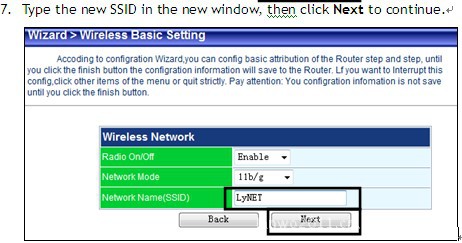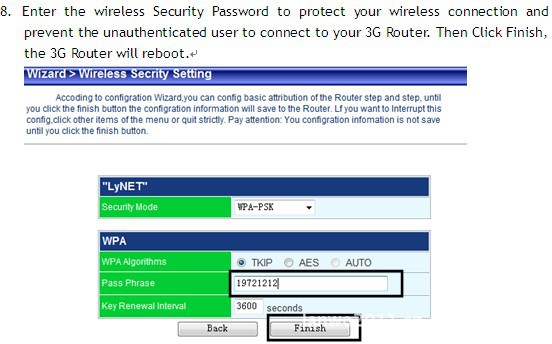


Access mode
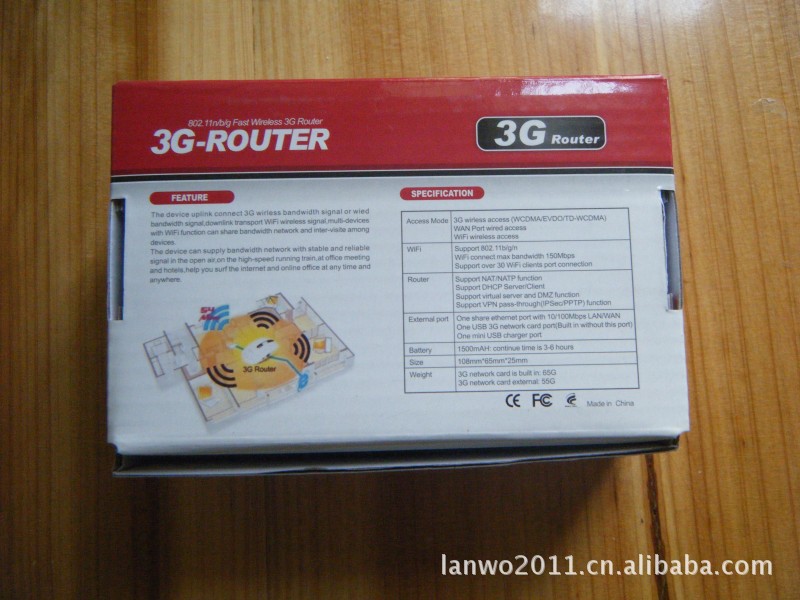
| 3G (EVDO/WCDMA/TD-SCDMA) wireless access |
Wired bandwidth PPPOE, dynamic DHCP, static IP access | |
WiFi hotspot | Support 802.11b/g/n |
WiFi maximum bandwidth access: 150Mbps | |
Support 127 WiFi client access | |
Support WEP, WPA-PSK WPA2-PSK wireless safety mode | |
Support WEP, TKIP, AES encryption | |
WiFi WDS (WiFi Distributed Systems) | SupportBridge mode |
Support REPEATER mode | |
Support lazy/ omnipotence mode | |
Firewall | Based on MAC address/IP address/Port filtering |
URL filtering | |
Web page keyword filtering | |
Dos Attack Prevention | |
Anti-ping function | |
DHCP servers | Support MAC/IP address Binding |
Support the allocation of addresses up to 127 | |
Network application | Application Layer Gateway ALG penetration |
Virtual Server | |
Port triggering | |
Support UPnP | |
Support DMZ | |
Support DDNS | |
Support network printing | |
Traffic Management | Management of upstream and downstream flow rates |
Support based on IP / MAC address bandwidth management | |
Support the application protocol, application port bandwidth management | |
Interface | 1 10/100Mbps LAN / WAN Ethernet port shared |
1 USB interface (3G network card interface) | |
1 mini USB charger interface | |
Battery | 1500mAH; endurance is 3-5 hours |
Parameter | L 105mm * W 65mm * H 25mm |
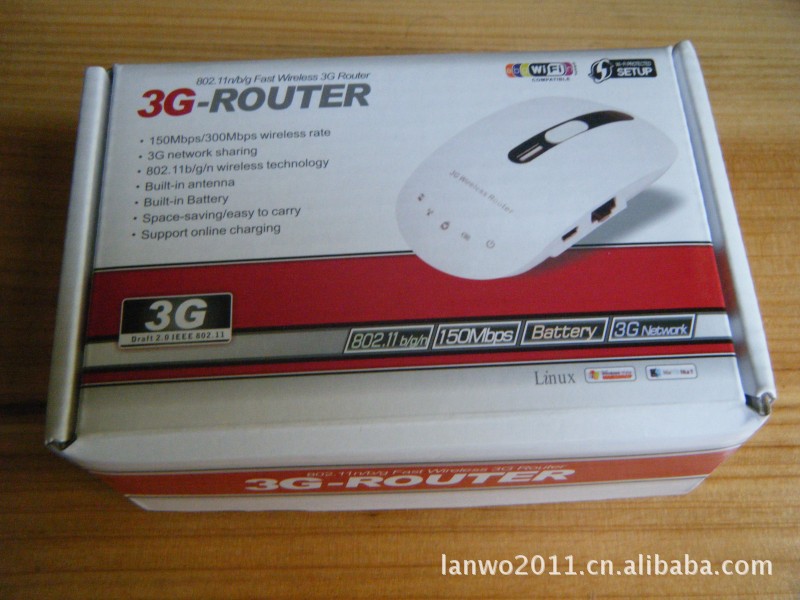
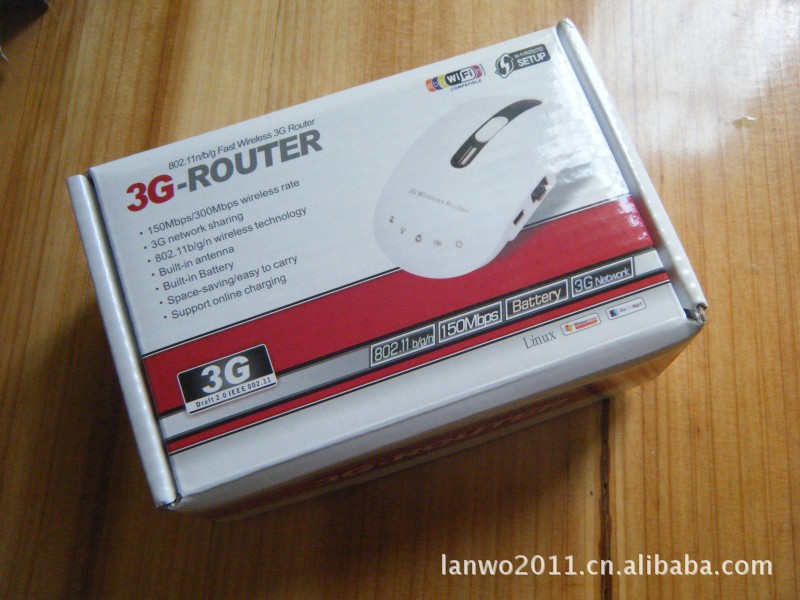
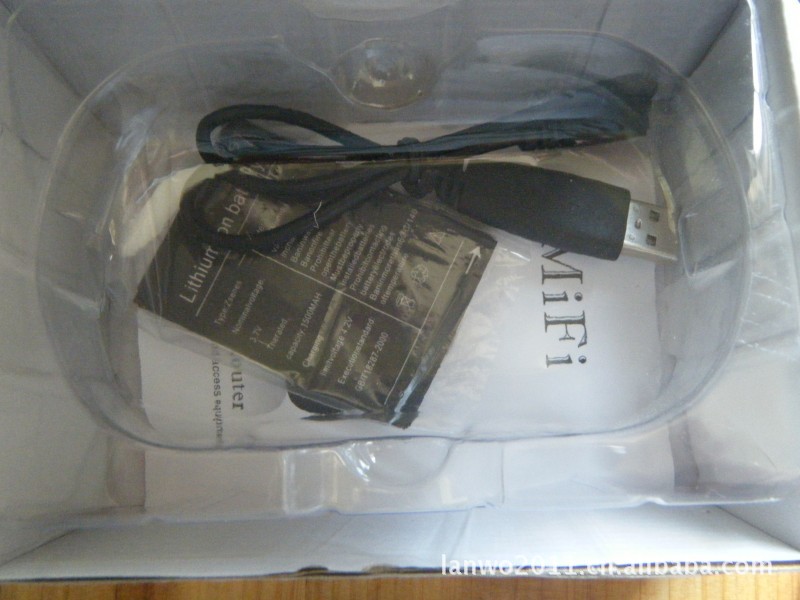
One 3G Router
One power cable with USB connector
One Quick Install Guide
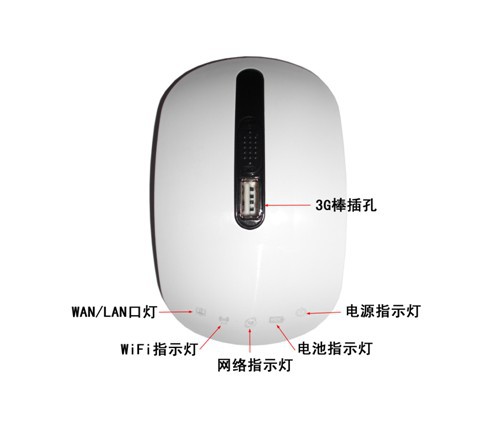
LED Description
Item | Status | Description | ||
3G Mode | Wire Mode | Wireless Client Mode | ||
PWR | On | The electrical power is on. | ||
Off | There is no electrical power. | |||
WLAN | On | There WLAN function is enabled. | ||
Flashing | There is data been transmitted by WLAN. | The router is surveying AP or there is data been transmitted by WLAN. | ||
Off | The WLAN function is disabled. | |||
WAN | Flashing | There is no 3G connection. | Always On | The WLAN client is not connected to a AP. |
On | The 3G network is successfully connected. | The WLAN client is connected to a AP. | ||
WPS | On | A wireless device is connected to the router successfully. | ||
Flashing | The WPS function is open. | |||
Off | The WPS function is disabled. | |||
Hardware Connection
- Connect your PC/notebook to the LAN2 port of the 3G Router with an Ethernet cable.
- Plug the one end of the power USB cable in to the power socket of the router, then plug another end in to the USB port of your PC/notebook.
- If you use 3G network as the Internet connection, Please insert the 3G modem in to the USB port of the 3G Router.
If you want use a ADSL connection as the Internet connection, Please connect your ADSL modem and the LAN1 port of the 3G Router with a Ethernet cable.
PC Configuration
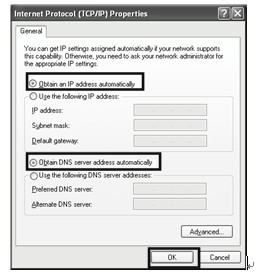
Before setting up the 3G Router, please make sure your PC is configured to “Obtain an IP address automatically”.
For Windows XP/2000:
Click “Start”->”Control Panel” to open the windows control panel.
Open the “Internet Protocol (TCP/IP) Properties” window.

Select “Obtain an IP address automatically” and “Obtain DNS server address automatically”. Then clickOK.
For Windows Vista / Windows 7:
Go to “Start”->”Setting”->”Control Panel” to open the windows control panel.
Open the “Internet Protocol (TCP/IP) Properties” window.


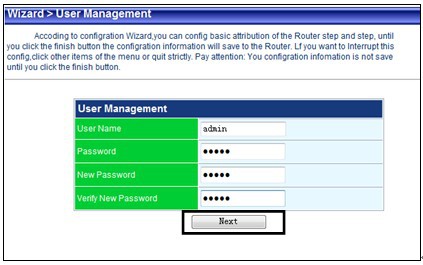
2.The web page will display when you log in successfully. Click “Wizard” item, enter the new password then clickNext.
3.Select your Time Zone, then clickNext.

4.Select your Internet connection type. We select3G Modefor example
 5.Click “Operator Info”, select the ISP information in the pop up windows then closed it, clickNextfor continue.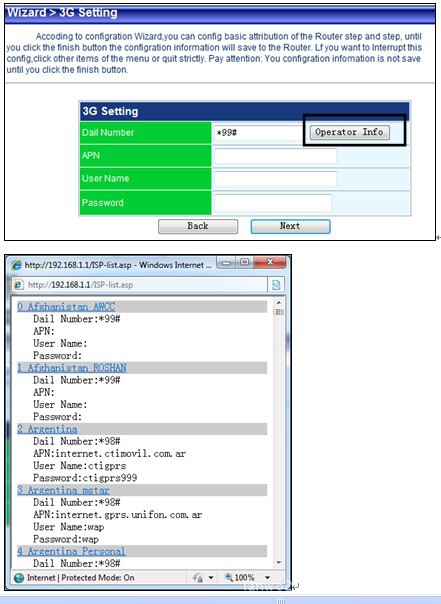

6.Keep the default LAN settings and clickNextto continue. Or you can type the new LAN IP address and DHCP server IP pool.