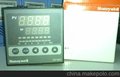
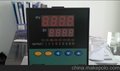
供应PAN-GLOBE温控仪E909-701-010-000泛达西安代理联系人:魏工 电话:15882174684 座机:028-84472033 QQ:2030149354产品资料:

• When panel-mounting, do not press the central part of the displays,
otherwise the displays may be damaged. Press the flange part.
Connections
• If power will be supplied to the M7F from the PLC's I/O service
power supply, make sure that the current consumption of the M7F
does not exceed the rated capacity of the service power supply.
• It is recommended to supply power to the M7F from a dedicated
DC power supply in order to protect the PLC from being damaged.
• When using a controller other than the PLC or another company's
PLC, be sure to check the terminal arrangement of the connector of
the controller or the PLC. The terminal arrangement of OMRON's
cables incorporating connectors corresponds to that of the PLC.
Removing Color Plate
There is a gap (with a width of approximately 1 mm) between the
case and color plate on the left and right sides. To remove the color
plate, insert a flat-blade screwdriver into either one of the gaps and
move the color plate upwards.
Replacing Unit Plate
• Remove the unit plate with a pair of tweezers.
• Before pasting a unit plate to the plate holder, remove the ground
paper from the unit plate. Paste the unit plate to the plate holder so
that the symbol mark or character(s) of the face plate will be on the
bottom side (i.e., the decimal-point side) of the M7F.
T