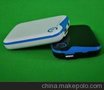
ipad背壳电池 ipower6000 ipad后备电池 苹果正版授权MFI备用电池
1.电池容量 :6000mAh Li-Poly
2.输入: 5V -5.5V
3.DC5.0V
4.适用产品: iPad
5.WWi报告
6.通过UN38.3
7.CE,ROHs
8:配件: Apple certificated box with Made for iPad Logo,cable
英文介绍:
iPowerCase's iPower series rechargable battery pack let you enjoy surfing and talking with your iPhone and iPad freely while sporting a fashionable,high quality case and no longer limited tby their batteries.
iPowerCase Power Pack Products====Integrated Desigh,Stylish Appearance,Functional Features
Functions:
lThe iPowerCase comes with a build-in safety tested,advanced lithium polymer high capacity rechargeable battery.
lSyncing iPhone/iPad with your computer,while your iPhone/iPad is docked in the iPowerCase.
lOn/Off Switch to control the iPower backup battery status.
lAuto-turn off 3 seconds later after checking battery without iPad docked in.
INSTRUCTIONS
2.1 Charge display
l To switch on/off without iPad docked in, LEDs will indicate your iPowerCase charge status: three lights indicate full charge, two blue lights indicate spare charge is 80% or less, one blue light indicates spare charge is 60% or less, if a light flashes slowly indicate spare charge is less than 30% and it need recharge timely, if all of the lights are dead, your iPowerCase was running out, it should be recharged immediately.
2.2 Charge the iPowerCase
l Connect the standard end of the USB cable with the power adaptor that came with your iPhone or a USB 2.0 port on a computer
l Connect the mini end of MICRO USB cable with the USB port of the iPowerCase
l To switch backup battery on/off, press button and front LED will light, the built-in backup battery will charge your iPad
l LEDs indicate the status of the charging mode: One blue light indicates charging within 60%,two lights indicate charging up to 80% and three lights indicates that charging is completed
2.3 Charge your iPhone using the iPowerCase
l Turn off your iPad and slide it into iPowerCase, making sure that the pin connector is properly and securely inserted into the bottom of the iPad
l Press the iPowerCase on/off switch and LEDs light , A battery symbol will appear on the screen of your iPhone 3G/3GS
l Press on/off switch to turn off iPowerCase when charging is completed
2.4 Syncing iPhone with your computer, while your iPhone is in iPowerCase
l Turn on the iPowerCase
l Connect the standard end of USB cable into a USB 2.0 port on your computer
l Connect the mini end of USB cable into the USB port of the iPowerCase
l Open iTunes on your computer, select iPhone in the iTunes source list and start the normal iPhone syncing process according to your iPhone User’s Guide
l When iPhone is syncing with your computer, iPhone shows Sync in progress
l The computer will charge the iPowerCase battery and your iPhone at the same time