iPad Bluetooth Keyboard with Telephone
苹果 ipad iphone 蓝牙键盘电话 ipad iphone skype蓝牙键盘+电话
Introduction
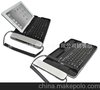
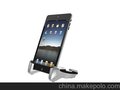
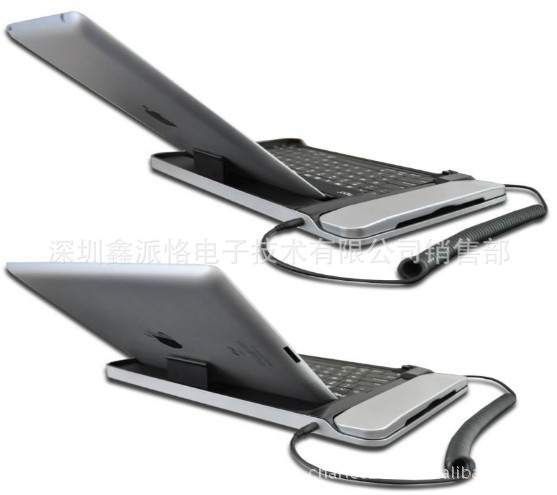
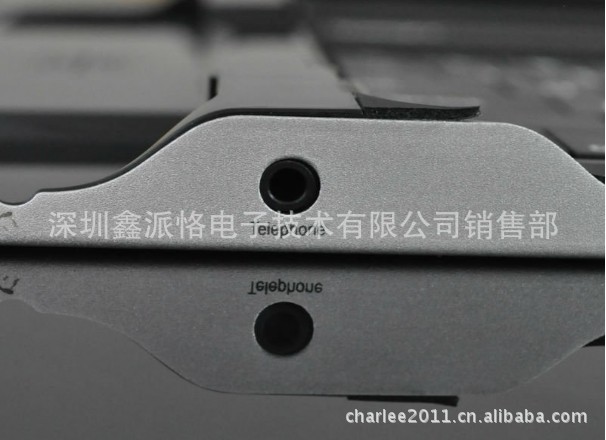
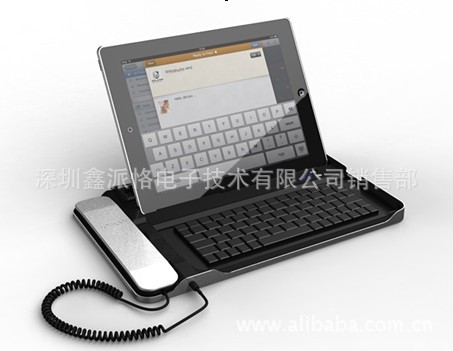
This product is design for Ipad, Bluetooth function, and it also could use as a Telephone for calling or video chat. Easy carry and practicality.
1 Design like a notebook keyboard, good outlooking and feeling good.
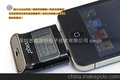
2 Built-in high-capacity rechargeable lithium battery, long standby time. More durable.
3 With USB interface. Connect the device to PC through USB connecting cableor iPad / iphone power adapter to charge the keyboard.
4 Charging Time is2 hours, it could use40 hoursafter fully charged.
5 Compatible for Iphone3G,4G,iPad1/iPad2.
6. With a number of shortcut keys make the operation more convenient.
This product include:
USB charging cable (big 4pin turn to a small 5pin long 1000mm) 1pcs
3.5mm audio adapter cable 1pcs
User Manual
1.1 Turn on power switch, Bluetooth keyboard sync indicator lights on and flash slowly, that has entered the Bluetooth searching state, and the indicator light turns off automatically after 3 seconds.
1.2 IPad console settings menu, the 'Bluetooth' option to select the 'Open' state, and press keys FC on the keyboard 2 seconds will turn flash light on the code that has been entered on the keyboard code state , the keyboard and the host will automatically iPad code, the code will be essful iPad console connection prompt, and asked to enter matching password, then enter the iPad host the 6-digit code displayed, press the ENTER key to confirm the keyboard that smooth connection with the console.
1.3 When user want to use the telephone, just take up the headphone. If user want to stop telephone, just press the ring off button.
1.4 when the iPad system enter into power saving mode , press any key to wake the keyboard.
1.5 When user does not use the keyboard, just the power switch to OFF at the can.
1.6 Keyboard with low-voltage alarm function, when battery power is low, the power indicator light flashes ,it expressed the keyboad need to be charged,at this time you could use the USB cable connected to PC to charge the keyboard. When charging, the power indicator light red,when the keyboard is fully charged, the indicator will turn blue.
QTY :10PCS
NW:6.4KG
GW:6.95KGS
MEAS:33*25*24.5CM
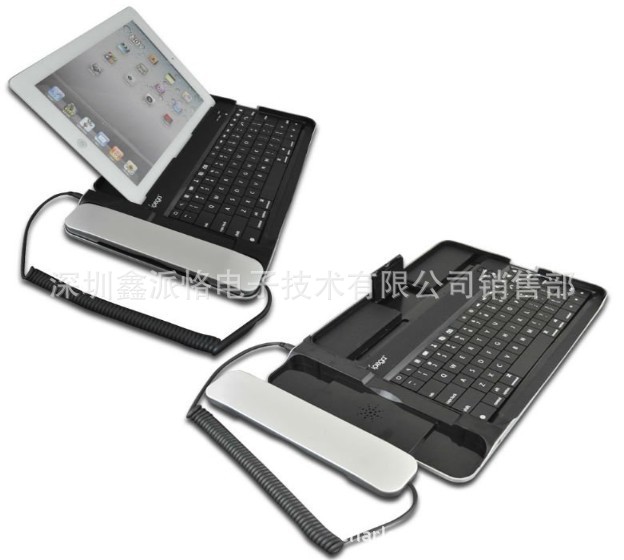

for ipad 2 Bluetooth Keyboard with skype Telephone essories PG-IP090
ipad蓝牙键盘电话 ipad 2skype蓝牙键盘+电话
Introduction(产品介绍)
本产品是为iPad主机所设计的一款蓝牙键盘,具备有线电话设计,可用作语音通话
或是视频聊天,便捷,实用。
1 采用笔记本电脑键盘制作工艺,外型时尚美观,手感极佳。
2 键盘内置大容量可充电锂电池,超长待机,使用时间更持久。
3 具备USB接口,可通过USB连接线连接PC设备或iPad/iphone电源适配器为键盘充电。
4 充电至饱和需2小时,充满电后可持续使用约40小时。
5 兼容于iPhone3G,4G及iPad1/iPad2。
6 具备多项的快捷按键,使操作更加便捷。
7 当不使用时将ipad主机扣放于键盘上,即可为ipad提供有效防护。
本产品包含配件:
USB 充电线(大4pin转小5pin 长1000mm) 1PCS
3.5mm音频转接线 1PCS
User Manual(使用说明)
1.1 将电源开关拨至ON处,键盘上的蓝牙对码指示灯亮起并慢闪,表示键盘已进入蓝牙搜索状态,且指示灯会在3秒钟后自动熄灭。
1.2 在iPad主机的设置菜单中,将‘Bluetooth’选项选择为‘打开’状态,并长按键盘上的蓝牙连接键2秒,对码指示灯将转为快闪,即键盘已进入对码状态,键盘与iPad主机将会自动对码,对码成功后iPad主机上会有连接提示,并要求输入配对密码,此时输入iPad主机上显示的6位数字密码,按ENTER键确认后,键盘即可与主机顺利连接。
1.3 需要语音通话时,只需将听筒拿起即可。当按下听筒上的挂机按键即可中断通话。
1.4 当iPad主机进入省电模式后,按下键盘任意按键即可唤醒。
1.5 不使用键盘时,只需将电源开关拨至OFF处即可。
1.6 键盘带低电压报警功能,当电池电量过低时,电源指示灯会转入闪烁状态,表示需要对键盘进行充电,此时可用配套的USB转接线接至iPad原装适配器或PC设备为键盘充电。充电时,电源指示灯亮红灯,充电饱和后转为蓝灯。
Attention(注意事项)
1.1 首次使用时需要将键盘与主机对码,对码时需要输入六位数字密码。对码成功后,再次使用时可直接操作键盘,无需重复对码。
1.2 请不要将产品放置在高温或潮湿处储存。
1.3 请不要用力挤压,或是摔,砸键盘。
1.4 请不要大力拉扯电话线。
1.5 请不要将水倒于键盘内或是将键盘投入水中。
1.6 首次为键盘充电请保证充满八小时以上。


公司介绍:
深圳鑫派恪电子技术有限公司如建于1994年,总公司在香港,本公司属香港总公司中国大陆分公司,公司位于深圳宝安区新工业园,工厂面积20000平方米,现在员工600余人。
主营生产ipad配件、ipad2配件、iphone3G配件、iphone4G配件、ipod配件公司及游戏机配件,本着“诚信为本,不断创新,服务大众”的经营理念,会一如继往地,不断努力地为广大消费者及广大客人研制和创造出更多更好品质的产品.欢迎广大新老朋友前来指导及洽谈!我公司欢迎OEM订单和ODM订单!
 深圳鑫派恪电子技术有限公司
工厂地址:深圳市宝安区65区兴业路海滨工业园A栋7楼
客户专线:曹迪先生 13714105728
0755-27905686
QQ:375206500